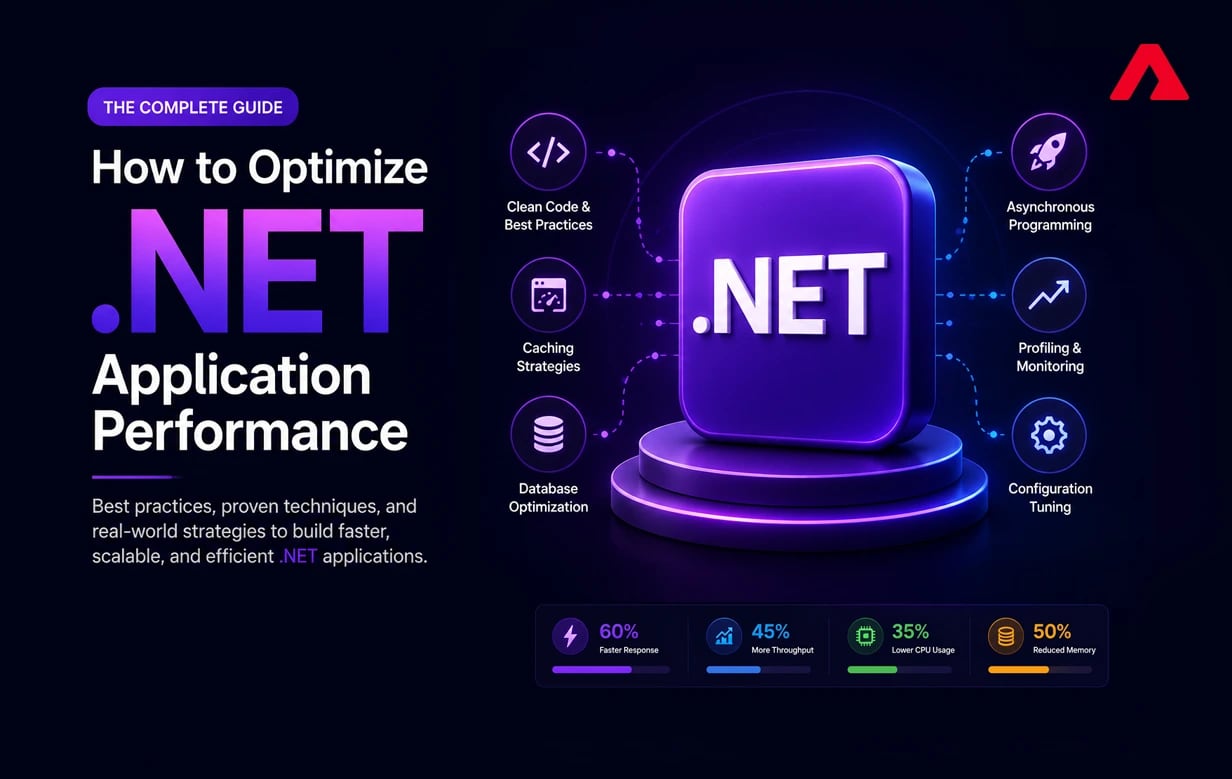
With the on-demand expectation that customers can instantly, reliably, and easily engage online while using a patchwork of devices, high-performing apps are not an option. A slow .NET app increases bounce rates, increases maintenance costs, and makes it harder for the company to scale.
That's the beauty of ASP.NET development services: designing well-performing end-to-end applications from backend components to the front-end look and feel. A .NET app is not only faster but also safer, more stable, and cheaper to maintain.
Companies often work with an experienced .NET Development Company because optimizing performance requires extensive knowledge of how applications are built, how they run, how to manage memory, how to cache data, and how to work with databases.
When appropriately optimised, an app becomes faster, more efficient, and delivers a better end-user experience. Performance tuning is not a one-time task; it is an ongoing part of the ASP.NET Application Development lifecycle.
This involves designing, implementing code, optimizing the database, load testing, and continuously monitoring and tuning infrastructure over time. Trusted ASP.NET application development services establish the performance standards for .NET applications.
What Is a Modern .NET Application?
Modern .NET (formerly .NET Core) is a unified, versatile framework for building high-performance apps compatible with Windows, Linux, and macOS. ASP.NET Core is the official, current framework for developing:
- Web applications
- APIs
- Cloud-native and microservices-based systems
Modern .NET applications are widely adopted because they offer:
- High throughput and low latency
- Strong security and memory safety
- Cloud-ready scalability
- Long-term maintainability
Coding with architectural patterns such as Clean Architecture, MVC, minimal APIs, and microservices using ASP.NET Core enables teams to design systems that adapt to new business needs, freeing them from the constraints of the legacy .NET Framework.
Why Performance Matters in Modern ASP.NET Core Applications
A well-optimised app can handle increasing load by adding more features and processing more data without slowing down or breaking. Here are the key reasons ASP.NET application performance matters:
- Direct Impact on User Experience and Engagement
Customers today expect ASP.NET Core apps to load quickly and respond on any device. Even a small increase in response time makes users distrust the app and leave.
Underperformance results in broken workflows, interrupted visits, and loss of trust in the product. High-performing ASP.NET Core applications are fast and respond predictably; directly impacting user retention, engagement, and overall experience.
- Reduced Infrastructure and Cloud Operating Costs
Most modern ASP.NET Core apps run in the cloud, with pricing based on consumption. Applications that rely on inefficient code or excessive database access consume more memory and CPU than necessary.
High-performance apps handle requests efficiently, reducing CPU, memory, and database load. This optimization lowers cloud infrastructure costs over time, allowing the application to serve more requests with the same capacity.
- Predictable Scalability and Long-Term Business Growth
The number of users, the amount of data, and the number of features must all scale with the app. ASP.NET Core apps that prioritise performance can grow horizontally and support more users without constant re-architecture.
When performance is built in from the start, growth happens in a planned way rather than a reactive one. This lets companies innovate faster, build new product functionality, and scale without costly surprises.
Common ASP.NET Core Performance Bottlenecks
Understanding root causes early enables faster and cleaner improvements. Here are the most common performance challenges teams face:
- Inefficient Database Access
One of the leading performance issues in ASP.NET Core applications is database access; long queries, missing indexes, too many joins, and pulling back more data than needed.
The program frequently waits on database operations before it can begin business logic. As traffic scales, these issues worsen: APIs become slow, time out, or the entire system becomes unresponsive.
- Blocking Operations and Improper Async Usage
Using synchronous patterns in ASP.NET Core ,a non-blocking framework — causes serious performance issues. Blocking calls reduce throughput and starve threads under load.
The result is slow response times and instability during traffic spikes. Proper use of async and await is essential to getting the most out of ASP.NET Core's scalability and concurrency model.
- Inadequate or Incorrect Caching Strategy
Without effective caching, ASP.NET Core apps repeatedly pull the same data from databases or external services. This unnecessary duplication adds latency and excess load on back-end systems.
Improperly configured caching can also cause stale data or inconsistent behaviour. A good caching strategy balances speed and data accuracy by serving frequently requested data faster without sacrificing correctness.
- Large Payloads and Serialisation Overhead
Sending large response payloads or complex object graphs increases both network latency and server-side processing time.
Serialisation issues waste bandwidth and are especially costly for mobile users on low-bandwidth connections. Slim DTOs and compact responses are essential for minimizing payload size and improving overall API responsiveness.
Practical ASP.NET Core Performance Optimization Techniques
These techniques help your app perform well under load. Whether you implement them internally or partner with an expert ASP.NET development company, they are key to maximizing efficiency and managing costs.
- Asynchronous and Parallel Execution
Modern ASP.NET Core apps are designed to handle many calls at once, but you can’t take advantage of that without knowing how to do asynchronous programming properly.
So, when async and await are used correctly, please note that threads never get blocked while they process I/O operations, such as calling the database or an external API.
This enables the app to accommodate more users without scaling server resources. When combined with parallel execution where appropriate, applications remain responsive even under heavy load.
- Optimizing Entity Framework Core Queries
Entity Framework Core can introduce performance issues if queries are not carefully designed. Choosing columns we don’t need, not properly filtering data soon enough, and totally ignoring indexes can cause a heavy load on a database.
Performance-focused ASP.NET Core, you will have a lean, well-indexed dataset, and your queries will be fast. Refurbish execution plans and eliminate unnecessary operations. To reduce database load and response time.
- Implementing Caching the Right Way
Caching significantly improves performance by reducing data access and increasing ASP response time .NET Core applications. Commonly queried data should be cached in memory or in a distributed cache, not queried repeatedly from the database.
But we've to keep caching in exceptions so that we avoid inconsistent or outdated data. An ideal caching strategy is fast and accurate, with cache expiration times that keep pace without sacrificing correctness.
- Reducing API Payload Size and Serialisation Overhead
It introduces latency due to server-side processing and client-side rendering for critical API responses. ASP.NET Core applications can send data faster by sending smaller payloads and keeping reactions more compact.
Optimised serializers, response compression, and lean DTOs take a lot of the bite out of the network. Improved API responses lead to a faster, more responsive web experience, period.
- Load Balancing and Horizontal Scaling
As an application receives more queries, one server may slow down or stop working. ASP.NET Core applications can horizontally scale by spreading load across multiple instances.
Load balancing keeps servers from overloading and the program running during traffic spikes. This adoption supports cloud high availability and predictable scaling.
- Application Configuration and Runtime Tuning
Optimizing performance requires proper runtime and hosting configuration. Throughput can then be enhanced through optimal hosting (settings), middleware order, compression, threadpools, and other optimizations.
In ASP. Core, modest configuration changes can enhance performance. Regular runtime optimization keeps the software efficient as usage patterns evolve.
- Continuous Monitoring and Performance Observability
It's not that performance optimization is a one-time thing; it should be ongoing. We prevent slowdowns, memory pressure, or dependency issues from affecting your users by enabling your team to observe and resolve them before they happen.
This allows core teams to proactively troubleshoot response times, error rates, CPU, and memory concerns.
Advanced Optimization for Large-Scale ASP.NET Core Applications
Here are advanced optimization techniques for large-scale ASP.NET Core applications:
- Modular and Microservices-Based Architecture
Large, single-piece ASP. As applications evolve, .NET Core systems can be difficult to manage and expand. Modular/microservices design breaks a program into smaller, self-contained components with their own deployment stacks, reflecting business functions.
This approach reduces deployment risk and provides more time for growth and fault isolation.
This technique improves fault isolation, allows you to focus on growth, and reduces risk during deployment. Teams can enhance performance at the level of a single service without affecting the whole system by separating services.
- Distributed Caching and Asynchronous Messaging
Large-scale ASP. Net Core applications suffer from bottlenecks due to synchronous processing and repeated data access. Distributed Caches , such as Redis or NCache, reduce database load by serving read-heavy data quickly.
Asynchronous messaging with Azure Service Bus or RabbitMQ decouples jobs and reduces traffic spikes. Caching boosts message efficiency and fault tolerance, handling massive traffic.
- Cloud-Native Optimization and Managed Services
Modern ASP. Core (no, I also built in directly onto cloud-computing provider-only features from Azure and AWS).
Cloud-native efficiency lowers management costs but also increases pressure for reliability and speed. When developed properly, these services keep applications stable and responsive amid unanticipated traffic surges.
Why Choose Atharva System for ASP.NET Development Services?
When it comes to ASP.NET application development, architecture design, performance optimization, and cloud modernisation, we follow industry-standard coding practices, ensuring all applications are robust, performant, and maintainable from the get-go.
Rather than trying to get them to a just-about-working state with lots of hodgepodge over time. We offer ASP. NET application development -considerate to your business, what your users demand and how it must scale.
With a crystal-clear communication approach, our support is available to you at any time, whether through reliable, stable models or even at the most crucial times.
Conclusion
Optimizing performance in modern ASP.NET Core with ease. It isn’t just about speed: the resulting improvements are felt by users and reflected in reduced infrastructure costs, increased system uptime, and greater overall system scalability.
A well-architected. NET application runs effectively, so your business can rely on a system that scales as you do, partnering with the right ASP. NET Core crew prioritises performance from day one, not as an afterthought or a post-release fix.
FAQs
How often should a .NET application performance audit be conducted?
A .NET application performance audit should be conducted at least once per quarter or before each major feature rollout. More frequent observation would be necessary in a busy application.
Can ASP.NET Core performance optimization reduce cloud costs?
Yes. Efficient applications use fewer compute and memory resources, significantly lowering cloud expenses.
What makes .NET apps run most of the time slowly?
In most cases, .NET applications are slow due to database queries, poor caching strategies, and synchronous processes that lock up the app. For the rest, profiling and optimization fixes it.
Should I optimise performance during development or after launch?
Performance should also be leveraged along the ASP.NET application development lifecycle. If you solve your problems early, you won’t have much rework and no major blockages while scaling.