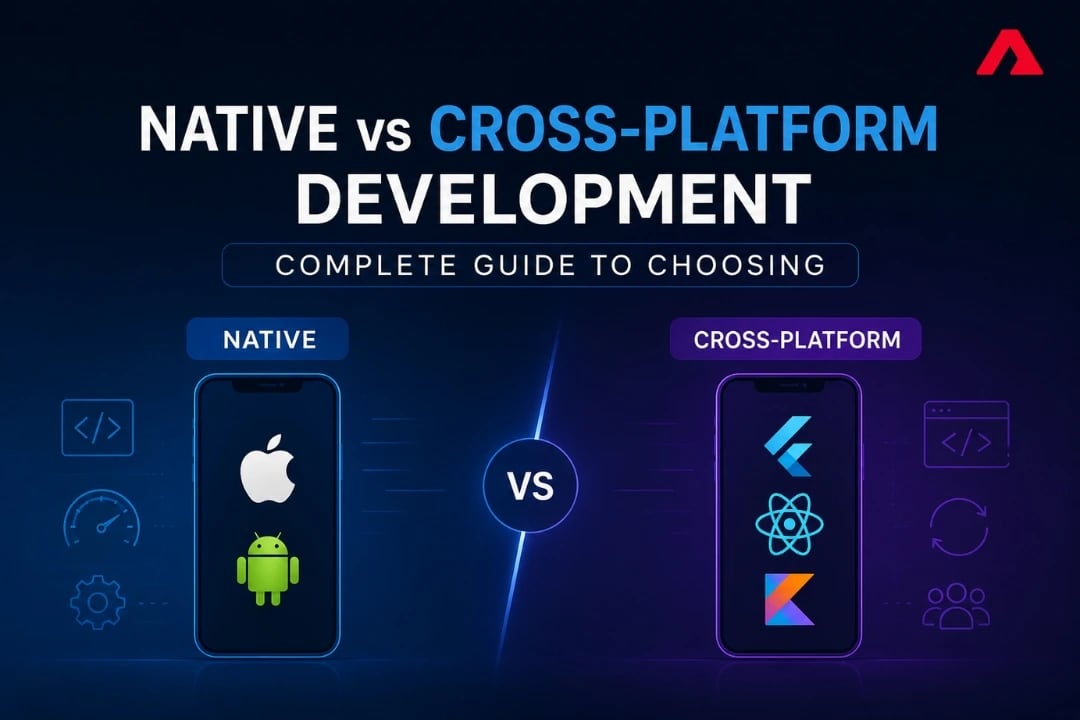
Every mobile project eventually hits the same fork in the road: build separate native apps for iOS and Android, or build once with a cross-platform framework and ship to both. Get it right and you save months of development time. Get it wrong, and you may end up rewriting the app a year later when unforeseen limitations begin blocking the features your roadmap actually requires.
This decision looks different in 2026 than it did even two years ago. Flutter and React Native together still power the majority of cross-platform development, but Kotlin Multiplatform has gone from a niche experiment to a framework running in production at Netflix, Google Workspace, and Cash App (Java Code Geeks, 2026). The "native vs. cross-platform" question isn't binary anymore either, since many teams now blend both approaches deliberately.
This guide breaks down what each approach actually means today, where each one wins, and how to make the call for your specific project rather than following a generic rule of thumb.
What "Native" and "Cross-Platform" Actually Mean Today
Native development means building a separate app for each platform using that platform's own language and tools: Swift and SwiftUI for iOS, Kotlin and Jetpack Compose for Android. Each app is its own codebase, compiled specifically for that operating system, with full access to every API and hardware feature the platform offers.
Cross-platform development means writing the app once and deploying it to both iOS and Android from a shared codebase, using a framework that translates that code into something each platform can run. Flutter, React Native, and Kotlin Multiplatform are the three frameworks that matter in 2026, though they take meaningfully different approaches to how much gets shared and how much stays native.
The line between the two has blurred. Kotlin Multiplatform, in particular, lets teams share business logic across platforms while still building the actual UI natively in SwiftUI and Jetpack Compose, which means "cross-platform" no longer automatically means "non-native UI."
The 2026 Framework Landscape: What's Actually Being Used
| Framework | Approach | 2026 Market Position |
|---|---|---|
| Flutter | Uses its own rendering engine with a shared UI and business logic. | Approximately 46% of the cross-platform mobile development market. |
| React Native | Uses JavaScript to communicate with native UI components. | Roughly 35% to 42% market share across cross-platform frameworks. |
| Kotlin Multiplatform (KMP) | Shares business logic while keeping native UI for Android and iOS. | Rapid growth from 7% to 23% adoption in the past 18 months. |
| Ionic / Hybrid (WebView-based) | Builds apps using HTML, CSS and JavaScript inside a native WebView. | Usage is gradually declining but remains popular for simple business and internal applications. |
Flutter and React Native together account for the large majority of cross-platform mobile development today (Mobisoft Infotech, 2026), with Flutter holding a slight edge in current market share over React Native (Tech Insider, 2026). The story underneath those numbers is Kotlin Multiplatform's growth curve: adoption nearly tripled in a year and a half, and it's no longer a framework only startups experiment with. It's running in production at companies with serious scale and reliability requirements.
Key Takeaway: The 2026 framework landscape isn't a two-horse race anymore. KMP's rise means teams now have a genuine third option that sits between "fully native" and "fully shared," which changes the calculus for teams that previously felt forced to pick one extreme or the other.
Native Development: Strengths, Weaknesses, and When It Wins
What Native Gives You
- Full, immediate access to platform APIs. When Apple or Google ships a new OS feature, native apps can adopt it on day one. Cross-platform frameworks usually need an update cycle before the same feature is available.
- The best possible performance. For apps doing heavy computation, real-time rendering, or complex animations, native code has no translation layer between it and the OS.
- Platform-consistent UX. Native apps follow each platform's design language exactly, which matters for apps where users expect things to feel exactly like every other iOS or Android app they use.
- Direct hardware and sensor access. Camera-intensive apps, AR/VR experiences, and apps relying on advanced sensor fusion benefit from not routing through an abstraction layer.
The Trade-offs
- Two codebases, two teams—or one team doing the work twice. Every feature gets built and tested twice, once per platform.
- Slower time to market. Building and maintaining two apps in parallel takes longer than building one shared codebase, especially for MVPs trying to validate an idea quickly.
- Higher long-term maintenance cost. Bug fixes, design updates, and new features all require duplicated work indefinitely.
When Native Wins
Native is the right call for gaming apps, AR/VR experiences, apps requiring deep OS-level integration (health data via HealthKit, advanced biometric security, or complex background processing), and apps where performance is the actual product, not just a nice-to-have. Teams building this kind of app typically work directly with iOS and Android native development tracks rather than trying to force a shared codebase to do something it isn't built for.
Cross-Platform Development: Strengths, Weaknesses, and When It Wins
Flutter
Flutter renders its own UI directly rather than relying on each platform's native components, which gives it consistent visuals across devices and performance that gets close to native for the large majority of business apps. Built with Dart, Flutter includes a hot reload feature that lets developers see changes instantly without restarting the app. Its near-46% market share reflects how often it's now the default choice for new cross-platform projects, particularly consumer-facing apps where a polished, consistent UI matters as much as functionality.
React Native
React Native's biggest advantage isn't technical; it's the size of its talent pool. JavaScript and React are among the most widely known skill sets in software development, which makes hiring and onboarding noticeably easier than for more specialized frameworks. Its newer architecture (Fabric and TurboModules) has substantially closed the performance gap that used to be its main weakness, and the Expo toolchain has made setup and deployment considerably simpler than it was a few years ago.
Kotlin Multiplatform (KMP)
KMP takes a different approach entirely: instead of sharing the UI layer, it shares business logic, networking, and data handling while letting each platform keep its fully native UI (SwiftUI on iOS, Jetpack Compose on Android, increasingly paired with Compose Multiplatform for shared UI components where teams want that too). This gives teams native performance and a native look and feel while avoiding duplicate work on the logic that doesn't need to differ between platforms (Kotlin Multiplatform Documentation).
This is exactly why it's gained traction with engineering-heavy teams: it doesn't ask them to give up native UI quality to get code-sharing benefits.
Ionic and Hybrid Approaches
WebView-based hybrid frameworks have lost ground to Flutter and React Native, but they still have a place for simple internal tools, admin dashboards, or apps where performance and native feel are genuinely not priorities. The lower performance ceiling makes this approach a poor fit for any consumer-facing app competing for retention.
Comparison Table: Native vs. Cross-Platform Across Key Factors
Factor
Native
Flutter
React Native
Kotlin Multiplatform
Performance
Best possible
Near-native
Near-native (with New Architecture)
Native (shared logic only)
UI Consistency
Platform-perfect
Consistent, custom-rendered
Native components
Fully native per platform
Time to Market
Slowest
Fast
Fast
Moderate
Talent Availability
High, but platform-specific
Growing
Very high (JS/React)
Growing fast, Kotlin-based
Code Sharing
None
High (UI + logic)
High (UI + logic)
Logic only
Best Fit
Gaming, AR/VR, deep OS integration
Consumer apps, MVPs, startups
JS-heavy teams, rapid prototyping
Teams wanting native UI with shared logic
What Each Approach Actually Costs
| Factor | Native | Flutter | React Native | Kotlin Multiplatform |
|---|---|---|---|---|
| Performance | Best possible | Near-native | Near-native (with New Architecture) | Native (shared logic only) |
| UI Consistency | Platform-perfect | Consistent, custom-rendered | Native components | Fully native per platform |
| Time to Market | Slowest | Fast | Fast | Moderate |
| Talent Availability | High, but platform-specific | Growing | Very high (JS/React) | Growing fast, Kotlin-based |
| Code Sharing | None | High (UI + logic) | High (UI + logic) | Logic only |
| Best Fit | Gaming, AR/VR, deep OS integration | Consumer apps, MVPs, startups | JS-heavy teams, rapid prototyping | Teams wanting native UI with shared logic |
Cost comparisons vary enormously by app complexity, but the general pattern holds across most projects:
- Cross-platform development typically reduces total development time by roughly 30–40% compared to building separate native apps, since most of the logic and often the UI only needs to be written once.
- Native development costs scale with team size, since you're effectively running two parallel engineering efforts. This cost shows up most in apps that need frequent updates, where the duplicated maintenance work compounds over time.
- Kotlin Multiplatform sits in between. Teams still build two native UIs, but share the logic layer, which reduces duplication without eliminating the native UI investment entirely.
The more useful question usually isn't "which costs less upfront" but "which costs less over the app's lifetime," since maintenance, not initial development, is where duplicated codebases become expensive.
A Practical Decision Framework
Ask these questions in order:
- Does the app need day-one access to new OS features, or deep hardware/sensor integration? If yes, lean native.
- Is the team's existing expertise concentrated in JavaScript/React, Dart, or Kotlin/Swift? Match the framework to your team's existing expertise rather than retraining from scratch.
- Is this an MVP that needs to validate a market before further investment? Cross-platform, usually Flutter or React Native, gets a testable product in front of users faster.
- Does the product need native-quality UI but also wants to minimize duplicated logic long-term? This is exactly the gap Kotlin Multiplatform was built to close.
- What's the realistic maintenance plan for the next two to three years? A framework that's faster to build today but harder to maintain long-term often isn't actually the cheaper option.
The Hybrid Strategy: Why More Enterprises Are Mixing Approaches
The more sophisticated teams in 2026 increasingly aren't choosing one framework for the entire app. They're using Kotlin Multiplatform for performance-critical shared business logic, React Native for rapidly prototyping new features, and fully native code for the specific screens where performance or platform-specific UX genuinely matters most. This deliberate mixing reflects a broader shift: the binary "pick one" framing is increasingly outdated for teams with the engineering maturity to manage a more deliberate architecture.
For most teams, though, this level of complexity only makes sense once the app has scaled past its initial version. Early-stage products are usually better served by picking one clear approach and committing to it, then revisiting the architecture once real usage data shows where the trade-offs actually matter. This is a conversation worth having directly with whoever is leading enterprise app development on the project, since the right answer depends heavily on the specific roadmap, not just the current feature list.
Common Mistakes When Choosing a Development Approach
- Choosing cross-platform purely to save money, without checking performance requirements first. If the app's core value depends on speed or hardware access, the savings disappear the moment you need a native rewrite.
- Choosing native without budgeting for two full teams. Underestimating the duplicated maintenance cost is one of the most common reasons native projects run over budget.
- Choosing a framework based on hype rather than your team's expertise. A framework with growing adoption isn't automatically the right choice if your team has no experience in its language.
- Ignoring the multi-year maintenance picture. The framework that's fastest to build with today isn't always the cheapest one to maintain three years from now.
- Treating hybrid/WebView apps as a long-term solution. They're a reasonable stopgap for internal tools, but rarely hold up for consumer-facing products competing on user experience.
Conclusion
There's no universally correct answer between native and cross-platform development, and 2026's framework landscape, with Kotlin Multiplatform now a serious third option, makes that more true than ever. The right choice depends on your performance requirements, your team's expertise, your project timeline, and how the app needs to scale over the next few years, not on which approach is trending in the headlines.
If you're evaluating this decision for an upcoming project, Atharva System builds both native and cross-platform apps, including Flutter and React Native solutions, and can help you weigh the trade-offs against your specific roadmap before you commit. Talk to our development team to discuss your project.
FAQs
1. Is cross-platform development always cheaper than native?
Usually, yes—at least initially—because most of the code only needs to be written once. But if the app eventually needs a feature that the framework can't support well, the cost of working around that limitation, or rewriting parts of the app natively later, can erase the original savings. Cost should be evaluated over the app's expected lifetime, not just the initial build.
2. What is Kotlin Multiplatform, and how is it different from Flutter or React Native?
Kotlin Multiplatform shares business logic, networking, and data handling across iOS and Android while keeping the actual UI fully native on each platform, built with SwiftUI on iOS and Jetpack Compose on Android. Flutter and React Native, by contrast, share both the logic and the UI layer. KMP is the right fit for teams that want native-quality UI without duplicating the logic underneath it.
3. Can I start with cross-platform and switch to native later if I need to?
Yes. It's a common path for apps that begin as MVPs. The risk is that switching later usually means rebuilding rather than incrementally migrating, since the codebases aren't directly compatible. It's worth planning for this possibility from the start rather than being surprised by it.
4. Which is better for a startup building its first app: Flutter or React Native?
Both are strong choices, and the better fit usually comes down to team background. Teams with JavaScript or React experience tend to move faster with React Native, while teams without a strong existing language preference often do well with Flutter, given its consistent UI rendering and growing market share.
5. Does cross-platform development hurt app performance?
For the vast majority of business apps, no, modern frameworks like Flutter and React Native's new architecture deliver performance that's close enough to native performance that users won't notice a difference. The exceptions are apps with heavy real-time graphics, complex animations, or intensive background processing, where native still has a measurable edge.
6. How do I know if my app needs native development instead of cross-platform?
If the app's core functionality depends on advanced camera processing, AR/VR, real-time sensor fusion, or needs to adopt new OS features the moment they're released, native is usually the safer long-term choice. If the app is primarily forms, content, and standard business logic, cross-platform will almost certainly meet the need without the added cost of two codebases.